

Technical SEO is the foundation that lets search engines, AI systems, and human users discover, render, and understand a website. When that foundation breaks, content quality and design polish cannot carry the business.
For service businesses, contractors, consultants, and startups, technical SEO mistakes are not abstract ranking problems. They block qualified prospects from finding services, slow down lead forms, confuse search engines about canonical pages, and weaken automated sales workflows.
This guide explains the common technical SEO mistakes that damage search visibility, AI indexation, and conversion performance. It also shows how to diagnose the issues, prioritize remediation, and build a site architecture that supports modern SEO, Core Web Vitals, schema, Generative Engine Optimization, Answer Engine Optimization, and lead automation.
The Business Reality of Technical SEO Deficiencies
A service business website should function as a lead generation system. Technical SEO mistakes create friction inside that system.
If search engines cannot crawl the website efficiently, the business becomes invisible to buyers who are actively searching for its services. If canonical tags point to outdated pages, search engines may index irrelevant service content or stale contact information. If a page has poor Interaction to Next Paint, a prospect trying to open a menu, use a pricing calculator, submit a form, or interact with a chatbot may abandon the session before converting.
In an AI search environment, the cost is even higher. AI answer systems and agentic browsers depend on clean structure, stable layouts, accessible content, and reliable indexation. Technical debt can exclude the business from traditional search results and from generated answers.
Why Most Businesses Get This Wrong
Many businesses treat the website as a visual asset first and a technical system second. That priority often creates JavaScript-heavy templates, oversized media, fragile plugins, duplicate URLs, and thin HTML that looks acceptable to a human but creates ambiguity for crawlers.
Technical SEO is also treated too often as a launch checklist instead of an operational discipline. CMS updates, plugin changes, migrations, page deletions, new location pages, tracking parameters, and design changes can all introduce crawl and indexation problems after launch.
Common examples include:
- A staging
noindexdirective accidentally reaching production. - A
robots.txtrule blocking important pages or rendering assets. - Deleted service pages with no 301 redirect.
- Redirect chains that slow crawlers and users.
- Duplicate title tags, duplicate content, and conflicting canonical tags.
- JavaScript-only content that crawlers and AI systems cannot reliably parse.
The failure usually comes from a disconnect between design, development, marketing, and ongoing technical maintenance.
Diagnostic Methodologies and Triage Protocols
Technical SEO diagnosis should start with evidence, not subjective page review. The first source of truth is Google Search Console because it reports how Google sees crawlability, indexation, manual actions, sitemap issues, and Core Web Vitals field data.
Search Console is not enough by itself. It mostly reports on URLs Google already knows. To uncover architecture problems proactively, use crawling tools such as Screaming Frog, Ahrefs, Lumar, Sitebulb, or Semrush. These tools simulate crawler behavior, map internal links, identify orphaned pages, expose broken links, and show redirect chains.
| Diagnostic tool category | Core function | Issues identified |
|---|---|---|
| Search engine consoles | Direct search engine feedback and indexation status | Crawl errors, manual actions, staging indexation, Core Web Vitals field data |
| Emulation crawlers | Architecture mapping and internal link analysis | Broken links, orphan pages, redirect loops, missing metadata, duplicate titles |
| Log file analyzers | Server log review of bot behavior | Wasted crawl budget, infinite crawl paths, blocked resources, real crawler traversal |
| Structured data testing | JSON-LD validation | Schema syntax errors, missing required properties, boilerplate schema, mismatched markup |
What to Fix First
The first priority is always crawl and indexation access. If a primary landing page is blocked by robots.txt or carries a noindex directive, performance work, content rewrites, and link building will not solve the visibility problem.
After access is restored, move through the hierarchy:
- Remove crawl and indexation barriers.
- Fix broken internal links, 404s, redirect loops, and redirect chains.
- Resolve duplicate URLs, canonical conflicts, and sitemap pollution.
- Improve Core Web Vitals, especially LCP, INP, and CLS.
- Validate schema and strengthen entity clarity.
- Improve AI search legibility with unique, structured, expert content.

This triage keeps the highest-impact failures from being buried under lower-priority polish.
Indexation, Crawlability, and Directives
The most damaging technical SEO mistakes often happen at the directive layer.
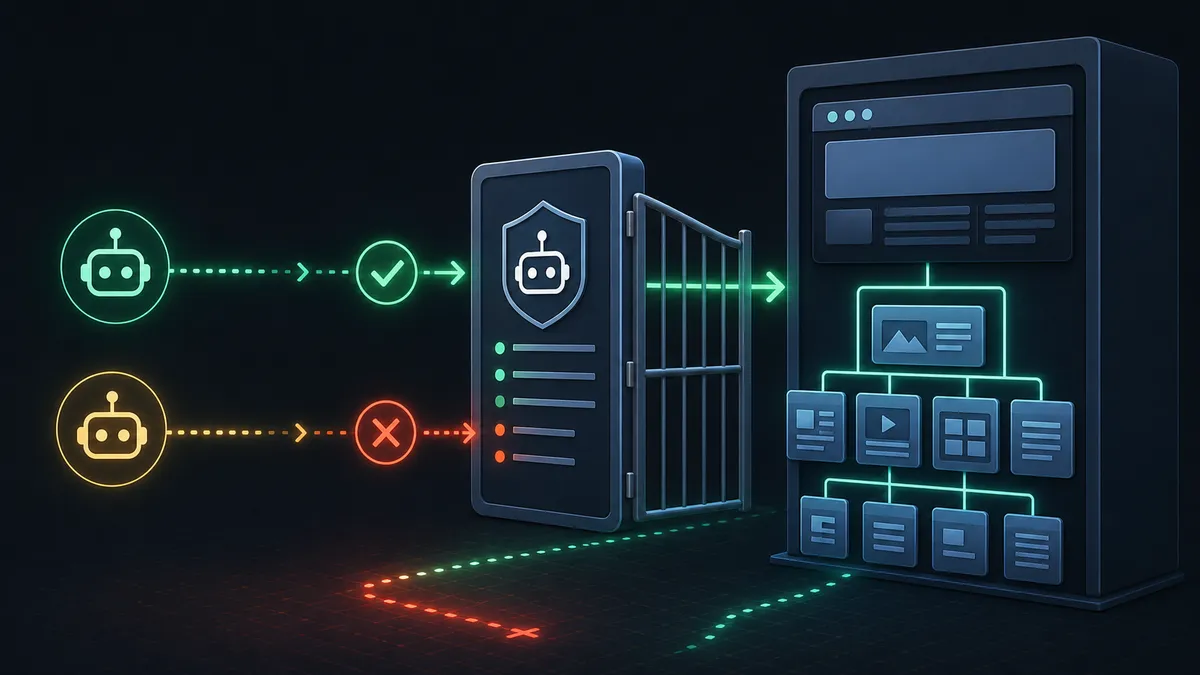
A misconfigured robots.txt file frequently starts in development. Teams block crawlers from staging environments, then accidentally deploy the same directive to production. If Disallow: / reaches the live site, search engines may be instructed not to crawl the entire domain.
The opposite mistake is also common: staging environments are left publicly accessible. If a development subdomain can be crawled and indexed, the production site may compete against its own unfinished clone.
XML sitemaps need the same discipline. A sitemap should include canonical, indexable URLs only. It should not include redirects, deleted pages, noindex URLs, duplicate parameter URLs, or low-value utility pages. Dynamic sites should generate sitemaps automatically as service pages, location pages, and articles are added or removed.
Duplication and Canonical Failures
Duplicate content creates ambiguity. When the same or near-identical content appears at multiple URLs, search engines must decide which version should carry authority.
Duplication often comes from:
- Parameterized URLs such as
?source=newsletter. - Faceted navigation.
- HTTP and HTTPS variants resolving separately.
wwwand non-wwwhost variants resolving separately.- CMS archives or tag pages duplicating primary content.
- Service or location pages that are nearly identical.
The canonical tag tells search engines which URL is the preferred version. But incorrect canonicals can make the problem worse. Avoid canonical tags that point to 404s, redirecting URLs, unrelated pages, or parameterized versions that should not be indexed.
Broken Links and Redirect Chains
Internal links distribute authority and help search engines understand topical clusters. Broken internal links create dead ends. They waste crawl paths and damage trust for users.
Redirects are useful when content moves, but they should be direct. A legacy URL should redirect to the final destination in one hop. Chains such as URL A to URL B to URL C add latency, waste crawl budget, and can eventually be abandoned by crawlers.
For migrations, maintain a URL map. Every important legacy URL should have a clear destination before launch.
Website Development and Performance Considerations
Technical SEO now includes real user performance. Google’s Core Web Vitals measure whether pages load quickly, respond to interaction, and remain visually stable.
The main metrics are:
| Metric | Healthy target | What it reveals |
|---|---|---|
| Largest Contentful Paint | 2.5 seconds or faster | Whether the main visible content loads quickly |
| Interaction to Next Paint | 200 milliseconds or faster | Whether the page responds quickly to user input |
| Cumulative Layout Shift | 0.1 or lower | Whether the page remains visually stable |
Core Web Vitals and the Reign of INP
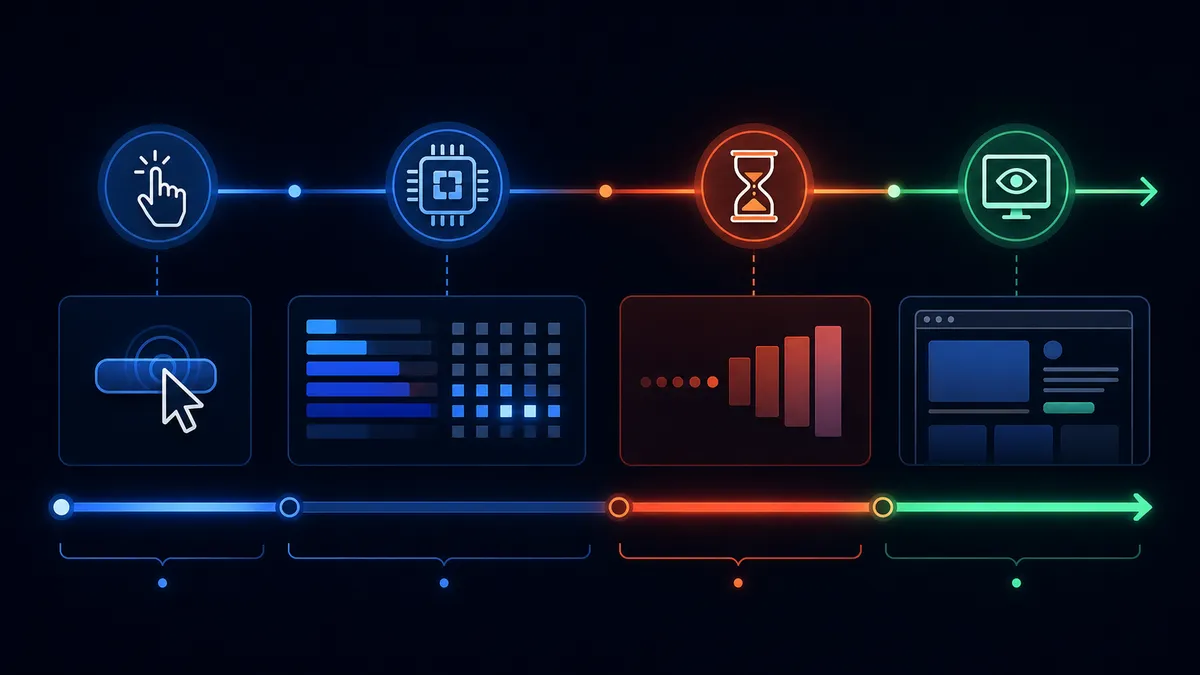
Interaction to Next Paint replaced First Input Delay as the key responsiveness metric because it measures interactions across the full session, not only the first input. INP captures the time from user input until the next visual frame is painted.
Poor INP is usually a JavaScript problem. If the browser main thread is busy executing a large script, it cannot respond quickly to clicks, taps, keyboard input, menus, form fields, accordions, or chat widgets.
Common INP fixes include:
- Splitting large JavaScript bundles into smaller chunks.
- Deferring non-critical scripts.
- Yielding the main thread during expensive work.
- Moving heavy non-DOM computation into Web Workers.
- Reducing DOM size and expensive layout recalculations.
- Removing or replacing bloated third-party scripts.
LCP and Visual Stability
Largest Contentful Paint measures how quickly the main visible content appears. On service business websites, the LCP element is often the hero image, headline block, or above-the-fold media.
Improve LCP by compressing images, using modern formats, preloading priority assets, reducing server response time, removing render-blocking resources, and keeping above-the-fold design lean.
Cumulative Layout Shift measures whether the page moves unexpectedly. Layout shift often comes from images without dimensions, embeds without reserved space, banners injected above content, or font swaps that change text dimensions.
Define media dimensions, reserve space for dynamic components, and avoid inserting new above-the-fold elements after the initial layout has loaded.
Client-Side Rendering vs. Server-Side Rendering
JavaScript frameworks can create SEO problems when they rely on default client-side rendering. With client-side rendering, the server may send a thin HTML shell and a large JavaScript bundle. Crawlers then need to download, parse, and execute the JavaScript before they can see content.
Search engines can render JavaScript, but rendering costs time and resources. Some crawlers and AI systems do not render it reliably. Critical content, navigation, metadata, canonical tags, internal links, schema, service descriptions, and location details should not depend on fragile client-side execution.
Use server-side rendering, static generation, or hybrid rendering for pages that must rank and convert.
Schema Markup and Entity Recognition
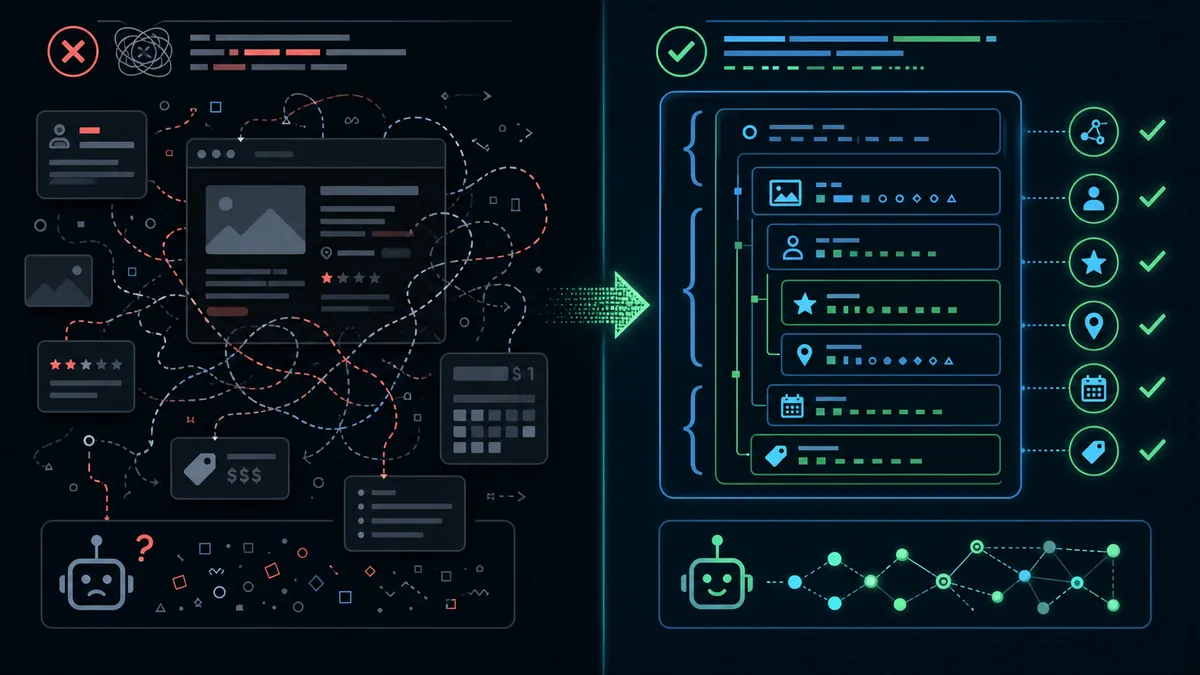
Schema markup translates page content into structured, machine-readable data. JSON-LD helps search engines identify entities, relationships, page types, services, local business details, articles, FAQs, breadcrumbs, and reviews.
Good schema can support rich results and clearer entity understanding. Bad schema can eliminate rich result eligibility or create quality issues.
Boilerplate and Deceptive Schema
One common mistake is boilerplate schema. This happens when the same generic JSON-LD is injected across every page. A service page, article, location page, and portfolio item should not all present the same page-level structured data.
A more serious issue is schema that contradicts the visible page. Structured data should describe content that users can actually see. Do not mark up hidden FAQs, fabricated reviews, invisible offers, or page types that do not match the body content.
Search engines treat deceptive structured data as a quality problem because it attempts to win rich results without supporting visible content.
Syntax and Required Properties
JSON-LD must be valid. A missing comma, trailing comma, unclosed quotation mark, or malformed array can invalidate the script.
Schema types also require the right properties:
FAQPageshould contain questions and accepted answers that match visible FAQ content.Productrequires product details and valid offer, review, or aggregate rating data when those features are used.LocalBusinessrequires accurate business identity, address, contact, and location details when applicable.ArticleorBlogPostingshould describe the article headline, author, dates, publisher, image, and page URL.
Service businesses should use specific schema where possible. A generic Organization node is useful, but it should not replace page-specific service, article, local business, breadcrumb, or FAQ markup.
GEO, AEO, and AI Search Optimization
Generative Engine Optimization and Answer Engine Optimization are extensions of technical SEO, not replacements for it.
AI Overviews, AI Mode, ChatGPT Search, Perplexity, Gemini, Copilot, and similar systems retrieve information, summarize it, and cite a smaller set of sources. The same technical issues that block traditional search can also block AI visibility.
RAG, Query Fan-Out, and AI Mechanics
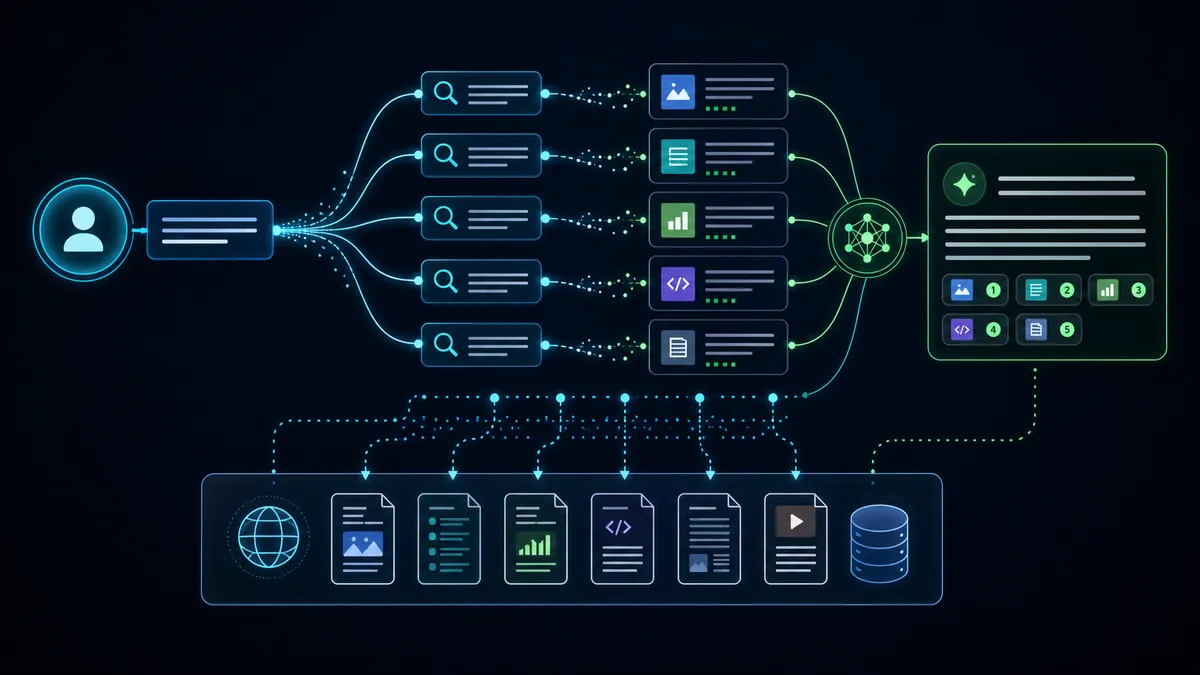
Retrieval-Augmented Generation means the AI system retrieves current information from an index or external sources before synthesizing an answer. Query fan-out means one complex prompt may be broken into many smaller searches.
For example, a question about commercial HVAC installation requirements may become separate searches for local codes, equipment sizing, energy efficiency, service providers, permits, and cost variables.
If the business website is blocked, slow, duplicate, thin, JavaScript-dependent, or semantically unclear, it is a weak retrieval candidate.
Debunking AI Optimization Myths
AI optimization is often sold as a set of shortcuts. Most shortcuts distract from the technical foundation.
Avoid:
- Creating AI-specific files while ignoring crawlability, indexation, content quality, and schema.
- Breaking strong long-form content into thin fragments because of an assumption that AI cannot process nuance.
- Stuffing keyword permutations into copy instead of writing clear, expert, source-backed answers.
- Treating AI search as separate from the standard web index.
To earn AI citations, publish useful, technically accessible, non-commodity content. AI systems can summarize generic advice. They are more likely to cite sources that offer original expertise, specific frameworks, strong entity clarity, and reliable page structure.
Agent-Friendly Website Structure
AI agents and browser automation systems need semantic structure. They interpret the DOM, visible layout, forms, buttons, labels, and interactive states.
An agent-friendly page should use:
- Real
<a>elements for links. - Real
<button>elements for actions. - Clear form labels connected to inputs.
- Stable layouts without unexpected overlays.
- Accessible names for controls.
- Visible conversion paths.
This is not only an accessibility concern. It affects whether automated systems can understand and complete tasks on the page.
Conversion and AI Automation Opportunities
Technical SEO is the foundation of conversion-focused web design. A page can rank well and still waste traffic if the user experience blocks lead capture.
Core Web Vitals affect conversion directly. High CLS can cause misclicks. Poor INP can make pricing tools and forms feel broken. Slow LCP can make users bounce before seeing the offer.
Schema and semantic clarity also support conversion. Search results with accurate business details, services, reviews, FAQs, and breadcrumbs can attract more qualified visitors before they even reach the site.
Lead Workflows
Once the technical foundation is reliable, service businesses can connect SEO traffic to AI automation:
- AI assistants can answer service questions using approved site content and CRM data.
- Lead qualification flows can score prospects by budget, timeline, service need, and location.
- CRM integrations can route high-value leads to priority follow-up.
- Email and SMS automation can reduce speed-to-lead delays.
These workflows require a technically stable site. If forms are inaccessible, APIs are brittle, scripts are slow, or page structure is unclear, automation creates more failure points instead of more revenue.
Strategic Approach for Service Businesses
Service businesses need a holistic architecture that connects SEO, development, localization, schema, and conversion.
Start by removing technical debt. Crawl the site, repair broken links, collapse redirect chains, clean robots directives, validate sitemaps, and confirm canonical URLs.
Then strengthen the local and mobile foundation. Local service businesses need accurate location signals, mobile-first layouts, fast tap response, accessible forms, and schema that reflects real service areas.
Recommended Internal Linking Structure
A strong internal linking structure should make the business easy to understand:
- The homepage links to major services, locations, insights, about, contact, and booking paths.
- Service hub pages link to specific service offers and relevant articles.
- Location pages link to the services available in that market.
- Articles link back to service pages where the reader can act.
- Contact and booking paths are available from every commercial journey.
Internal links should use descriptive anchor text and real HTML anchors so both crawlers and users can follow them.
Critical Mistakes to Avoid
Do not deploy massive JavaScript libraries without performance controls. High INP damages rankings and conversion.
Do not use schema to mark up hidden content, fake reviews, unrelated product data, or generic boilerplate across every page.
Do not let staging controls leak into production. Audit robots.txt, noindex, canonical tags, and authentication before every launch.
Do not chase AI gimmicks while ignoring indexation, speed, entity clarity, and unique expertise.
Practical Checklist
- Crawlability: Audit
robots.txtfor accidental blocks and confirm important assets can load. - Indexation: Check for stray
noindextags on commercial pages and protect staging environments with authentication. - Architecture: Crawl the site to find broken links, orphan pages, redirect chains, and duplicate metadata.
- Canonicalization: Confirm every important URL has a valid canonical that matches redirects, sitemaps, and internal links.
- Performance: Audit INP, LCP, and CLS using field data where available.
- Rendering: Confirm critical content, navigation, metadata, links, and schema are available without fragile client-side behavior.
- Schema: Validate JSON-LD and ensure it matches visible page content.
- Agent readiness: Use semantic HTML, accessible labels, stable layouts, and clear conversion paths.
Final Recommendation
Technical SEO is structural engineering for modern digital visibility. Search engines, AI systems, and users have little tolerance for inaccessible pages, slow interactions, duplicate URLs, broken links, misleading schema, or fragile JavaScript rendering.
Service businesses should not rely on visual design alone. A website must be fast, crawlable, indexable, semantically explicit, mobile-ready, and connected to lead workflows. Fixing the technical foundation is the first step toward sustainable search visibility, AI discovery, and conversion growth.
Works Cited
- 10 Common Technical SEO Mistakes to Avoid for Better Rankings - NAV43
- SEO Mistakes: Popular SEO Issues & How to Solve Them - Landingi
- Interaction to Next Paint - Catchpoint
- Interaction to Next Paint (INP): A Practical Guide for 2026 - Parachute Design
- 5 Common SEO Mistakes to Avoid - Squarespace
- 35 Technical SEO Issues That Are Killing Your Rankings & How to Fix Them
- Common Technical SEO Issues & How To Fix Them - VIP IT
- 15 Common Technical SEO Issues and How to Fix Them - Digital Funnel
- INP: The New Core Web Vitals Metric SEOs Should Know - Lumar
- Common Schema Markup Errors That Kill Your SEO Rankings
- 5 Common Schema Markup Mistakes That Hurt Your SEO - H-Mag
- Introducing INP to Core Web Vitals - Google Search Central
- Everything You Need to Know About Interaction to Next Paint - Nostra AI
- Common Structured Data Errors & How to Fix Them - seoClarity
- 6 Schema Markup Mistakes to Avoid - Skittle Digital
- Google’s New AI Search Guide Calls AEO And GEO Still SEO - Search Engine Journal